
A useful test source for bench testing
I have a current project on the go for a clock synchroniser. This takes two pulses, one from a GPS reference source and one from a secondary variable source and calculates the time difference between them to correct the clock. The system is Arduino based and I needed to be able to test my software logic without having to manually initiate the two pulses. The result is this simple but very useful pulse generator.
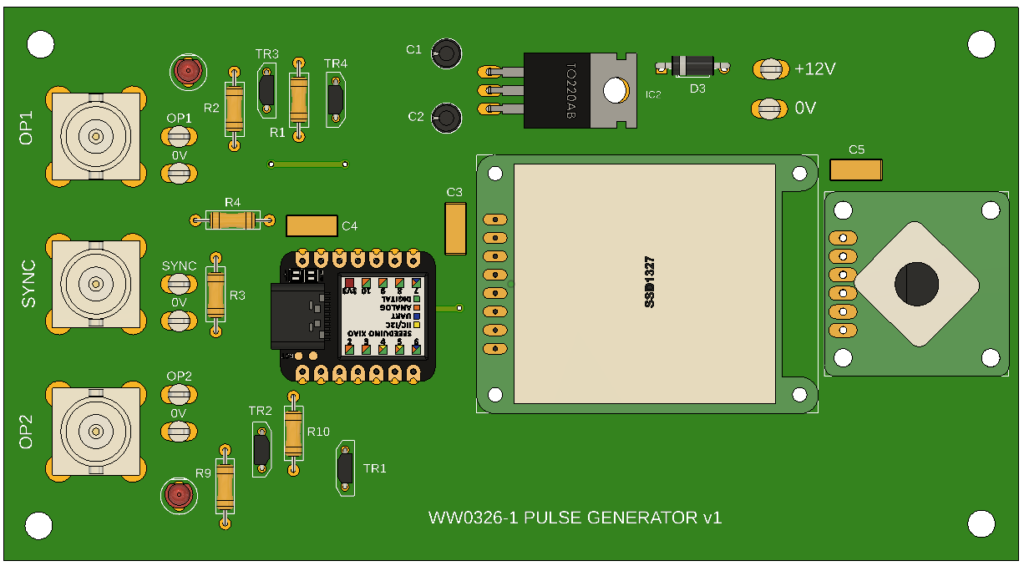
The generator is based on my favourite Xiao SAMD21, a SSD1327 OLED display and an Adafruit rotary encoder. The PCB layout was designed in the Fusion Electronic module and uses through hole components. There are only two top side links so it is easy to mill the artwork using the Fusion manufacturing data in association with FlatCAM. Production boards will be run via PCBWay.
The software provides two output signals that can individually have their rep rate and pulse width defined via the OLED screen and the rotary encode. The two streams can be independent or locked together. If locked together then a delta phase shift can be programmed in. Here is the working unit built onto the CNC milled PCB. The enclosure is a simple 3D printed trough.
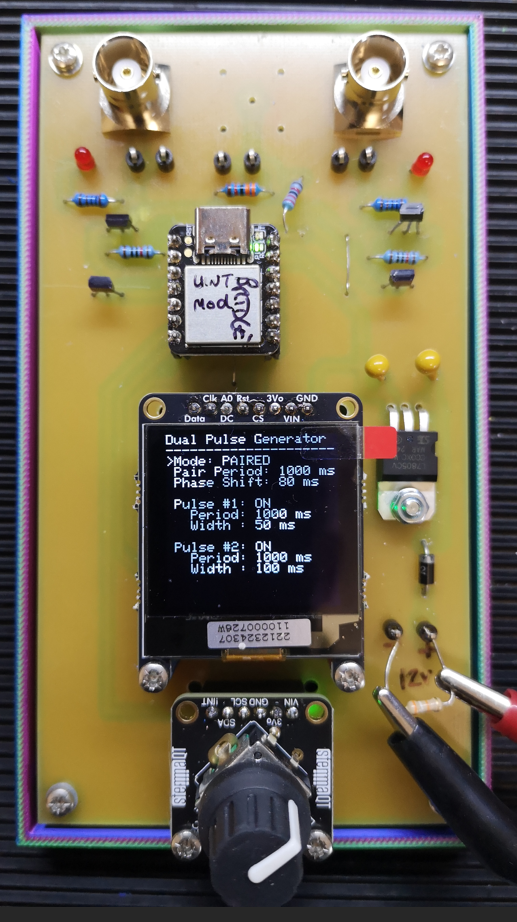
The missing BNC placement is a possible external sync input enhancement ( a rainy day job …). The unit is powered from an external source with a 5V on board regulator to feed the logic. There is a 3V3 to 5V buffer driving each pulse output (two digital transistors, two resistors and a LED indicator).
This development had been put on hold. Using a discrete rotary encoder I could not get a stable response on the OLED display and there was poor interaction with the encoder – lots of jitter and missed steps. The Adafruit module uses the same encoder but mounted on a small pcb that has an I2C encoder built in. The SSD1327 has the option for a SPI bus and an I2C interface. The new configuration using the combination of the encoder on I2C and the OLED on SPI completely cured the all earlier problems I was having.
Let me know if you would like a production PCB.
Links to similar or related post are listed below : –
- Simple Dual Pulse Arduino Based Generator
- 3V3 to 5V Non Inverting Buffer
- Arduino LoRa power supply issues
- TPL5110 as a Monostable
- Streaming camera video from an Arduino Giga
- Arduino Giga Display Shield and lvgl.h
- Arduino ESP32 Feather Huzzah Installation
- Dewpoint Monitor Updated Arduino Code
- Dewpoint alarm monitor to help avoid rust issues in the workshop