
3D Printed Knob Variations

How I Create Robust 3D Printed Knobs

First of all an apology … colour has arrived as I have finally migrated to the WordPress Guttenberg editor from the Classic Editor. The Classic is due to be phased out in the near future so I thought I had better jump before I was pushed. I can see the advantages this offers but I am still getting to understand the different way of working.

That aside, onto the post …

The problem with creating 3D knobs is that they can lack robustness unless they are made less dependent on the printed material. There are various ways round this but the easiest method I have found is to embed a conventional metal thread or nut combination. This allows you to be as stylish as you want with the shape of the knob while knowing that the core locking material is resilient to twisting.

A couple of good examples that I have produced recently are a replacement knob for holding the cover of my BK3 bandsaw in place and one to allow hand tightening of a U bolt clamp to a pipe.

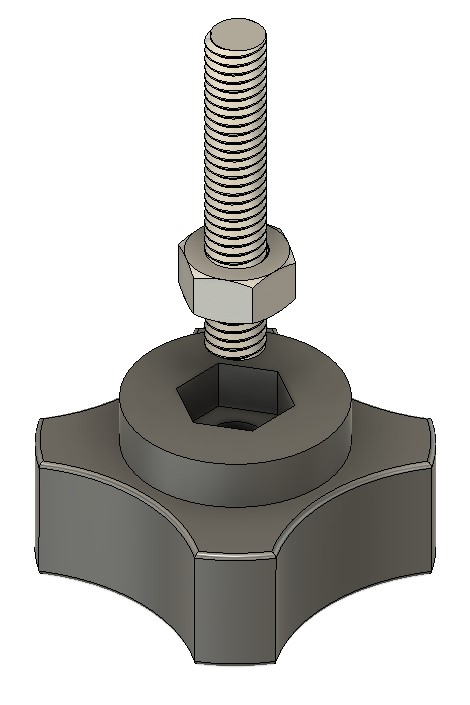
The BK3 clamp required a protruding thread (male) while the U bolt clamp needed a female style. Both were designed in Fusion 360 and embed either a nut or a thread and nut combination as the following images will show. The basic form of the knob is similar in that is has a cavity for the chosen nut size and for the female form may or may not have a through hole. The 3D printed body can be as fancy as you want to make it. I have been pleased with the basic shape shown below as it allows a firm grip to be applied.

Depending on how tight you can make the fit of the nut, the female form may need a dab of SuperGlue to hold the nut in place in the printed body and the male form will need Locktite on the thread and nut.
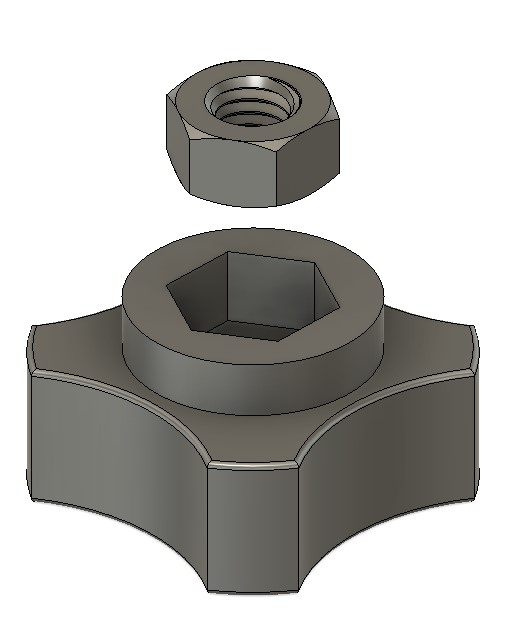
Female format
Male format

While both of the versions shown above have a boss for the nut cavity, this could equally be inset into the main body of the knob so it finishes flush. Next time you shorten a screw, save the thread offcut for future use on a knob.

Links to similar or related post are listed below : –

3D printed multiple punch holding tool using Fusion 360 Parameters

Using Fusion 360 Parameter Functions on this useful tool

I was pointed to this punch holder idea by a friend.  It was shown on HomeMadeTools.net and conceived by Andy Foale.   

Here is the link to the original post : –

https://www.homemadetools.net/forum/multiple-hand-stamp-helping-hand-65882

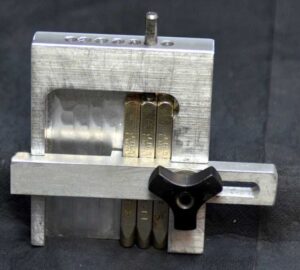
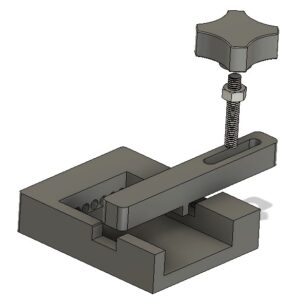
I thought it might be practical to make it as a 3D printed device and with a bit of guesswork came up with a first pass design in Fusion 360.   This was based on my set of punches which are 6.4mm square (1/4″) and 58mm long.   The design printed in PLA without any problems and the finished punch holder worked fine.  It uses one of my printed knobs as mentioned in another post.

3D printed punch holder per Andy Foales
Fusion 360 pictorial view of the finished punch holder

The success led to requests from others who liked the 3D print concept but had different size punches so needed the design tweaked to suit.

This looked like a good excuse to re-familiarise myself with Fusion 360s Parameter functions.   In short these allow you to program interrelated dimensions in a design through a series of basic algebraic functions.   The end result is a design that is fully flexible on the size of the punches to be used and the number of punches that might be judged needed as the maximum ‘word’ length.

The Fusion file is here in a ZIP file

punch holder v5

The Fusion file includes the holder, the clamping bar and the knob body.   You will need a short length of M6 threaded rod and a M6 nut to finish the knob.  The file is configured to 6mm punches, 63mm long but you can edit using Parameters function under Modify.  Clearly once you have the Fusion file you could run also run a CAM program and CNC cut the punch holder.

I am afraid this is a Fusion 360 file only.   If you aren’t a Fusion user (why not ??) and you want a STEP file creating to your punch sizes then email me and I can run it for you.

As stated in the original article, the kerning of the letters is defined by the punch cross section.

Similar or related subjects : –

Home made knobs without knurling

I always used to make customised knobs in metal which had a knurled body with a piece of studding screwed and Loctited in place.   It was good knurling practice and they looked fine until 3D printing came along.

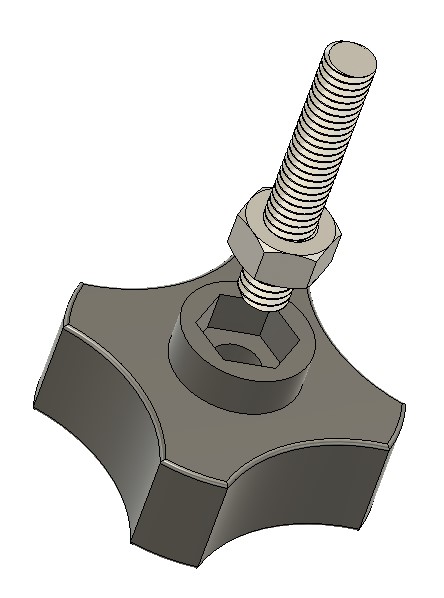
I now have a variety of ‘styles’ for knob bodies modelled in Fusion 360.  These have a hexagonal profile recess together with either a threaded hole or  clearance hole modelled into them.   A nut is Loctited onto the thread and then the thread with the nut in place SuperGlued into the 3D printed body.

As usual I’m all for an easy (a.k.a. lazy) way of doing things …. here is a Fusion image.

3D printed knob
Fusion modelled image of a 3D printed knob

Similar or related subjects : –

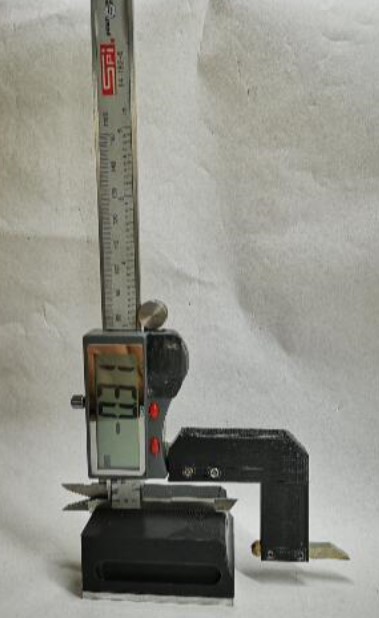
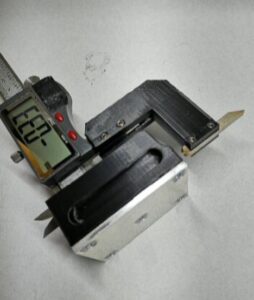
Converting a vernier to a height gauge using 3D printed parts.

Maybe not the full shilling but functional

This concept was passed to me from a friend and is based on a design published by Ralph Patterson in 2007.   The idea was to make a mounting block and extension arm in metal to allow a vernier to ‘stand up’ and be used vertically.   My contact sent me the drawings.  I don’t seem able to find any link to this or other files by Mr Patterson.

Entering the design into Fusion 360 did not take very long which indicates how well it was drawn originally by Mr Patterson.   There was one major modification however.   The original design was made from metal but our spin on it was to use 3D printed parts.   The base would therefore not have any really mass to keep it stable.   My friend suggested we added ballast in the form of lead shot into a cavity in the base.   I reduced the height of the base print by 3mm to allow an aluminium plate to be fitted to the bottom and added a honeycomb of holes into the base.   Once printed the honeycomb is filled with lead and the base screwed in place.   Conveniently and by fluke rather than design, the honeycomb holes will hold two slightly squashed 0.22″ air gun pellets.  This makes the base feel somewhat more solid on a surface plate.

The slot in the top of the base that takes the vernier is a tight fit on two of my verniers and the third one won’t fit so care is needed in choosing the right vernier for the job.   That aside it works very well for a quick and dirty measurements.

If anyone would like the STL files then let me know on the blog email or post a comment.

Similar or related subjects : –

Fogbuster update on my Myford Super 7 lathe

Plan B Fogbuster Mounting on the Myford lathe

Of late there has been a long thread running about Fogbuster use on the MEW forum.   This set me thinking.  The forum debate centred on whether mist lubricant or flood coolant was more or less healthy.   For hobbyists the consensus seemed to favour the mist coolant.  This was with the proviso that the jet and coolant mix is carefully balanced.  An interesting point was made about ensuring the air stream was pointing away from the operator to avoid blowback.  If all is good you should not be able to smell the lubricant.   (N.B. I use QualiChem Xtreme Cut 250C at around 8% dilution).

The installation on my Tormach PCNC440 is fine with respect to blowback at the operator.  Both nozzles are on flexible mountings and can be easily directed towards the back of the mill.  (See prior post).

My installation just completed on my Myford Super 7 is not quite so perfect.   I was using a T slot at the back of the saddle as the nozzle mounting.  This meant the nozzle was playing on the back of the workpiece and towards the operator.  Perhaps with hindsight not the most healthy option.   OK so I don’t use lubricant on the lathe that much as most of my work is brass and aluminium so maybe less of a critical issue.   Because of the infrequent use I wanted the Fogbuster to be quickly demountable until the next steel job comes along, hence the T slot idea.

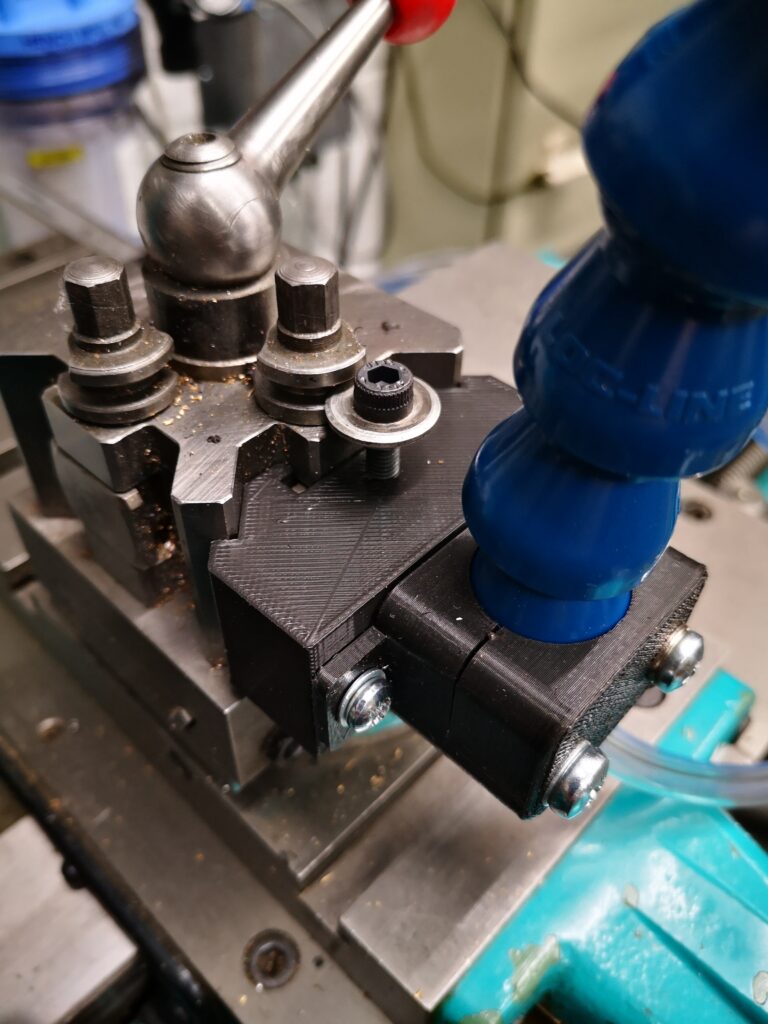
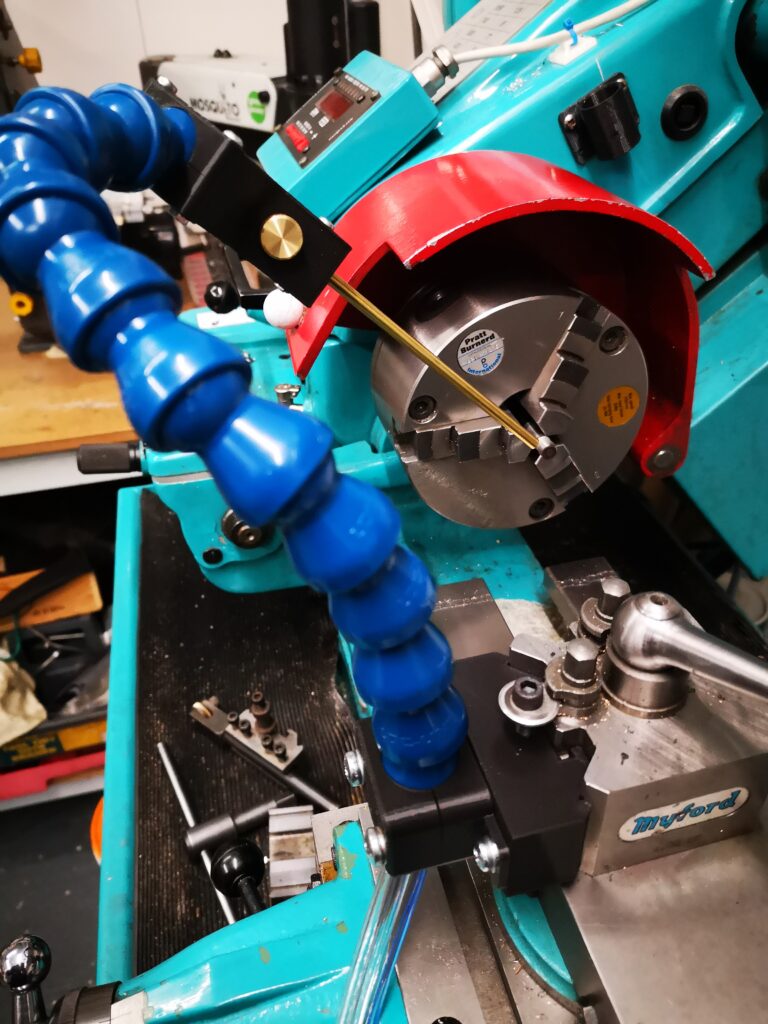
I have a Myford Quick Change Toolpost fitted on the Super 7 which has two tool holder positions at right angles to each other.  It struck me that the Fogbuster could be mounted in the QCTP unused slot.   This would allow the air jet and lubricant to point forwards towards the workpiece.  Normally I would have the empty slot on the far side face so a boring bar can be dropped into place.   By rotating the QCTP through 180 degrees the spare slot would sit nearest the operator and be ideal for the Fogbuster.  

I didn’t really want to dedicate a steel tool holder to the Fogbuster so I created a 3D printed version.   This picked up on the prior mounting holes I had modelled in the flexible clamp.

I needed to make sure my 3D printed profile was a good fit in the QCTP so after fully modelling it I moved the time line in Fusion back to the profile extrude and reduced this from 26mm to 5mm and ran a test print on just a 5mm depth version.   This allowed a quick print to be done which gave me feedback to do some minor edits.   The timeline then was dragged fully forward and a full size print run.   Try doing that as easily and quickly in steel ?

The pseudo toolholder 3D print ran in around 90 minutes and looked and fitted well.   To finish off, I turned up a small clamping button to match the normal clamping and height adjustment screw on the QCTP.

Hey presto a new Fogbuster forward facing mounting ready to go.

Close up of Fogbuster mounting using the Myford QCTP
Fogbuster mounting using the Myford QCTP
Overview of Fogbuster mounting on a Myford QCTP

Similar or related subjects : –

Verified by ExactMetrics