
CNCEST 3040T CNC Router Update

Mach3, Limit Switches and First Cut

Progress has been good in getting the 3040T running.   Mach3 is not like PathPilot but then it is an all things to all machines software whereas PathPilot is dedicated to the Tormach family.   As a result of this Mach3 does take a bit more getting your head around and there is a lot more under the hood settings and adjustments that you have to address.

The first problem was the RnR USB interface card and trying to work out which port was which on the card connections.  Once this was sorted the motors responded to keyboard directional commands with the arrow keys and page up/down.  I had to make changes to the Mach3 Config for this.   If anyone needs screen shots of these setups send me a message.

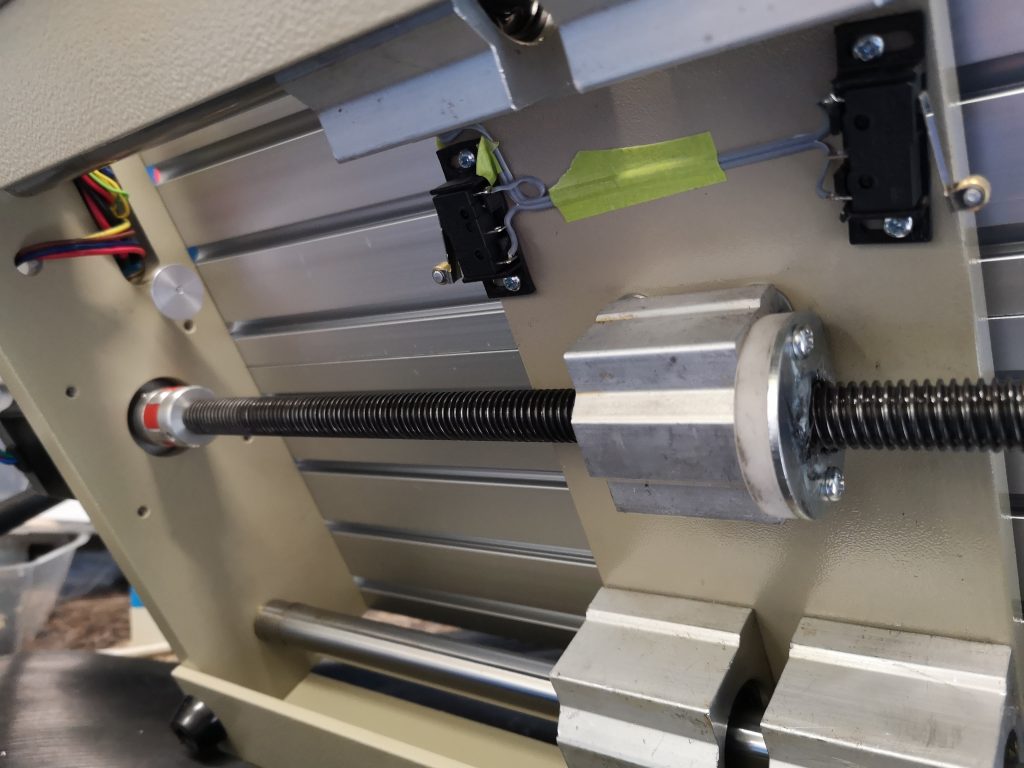
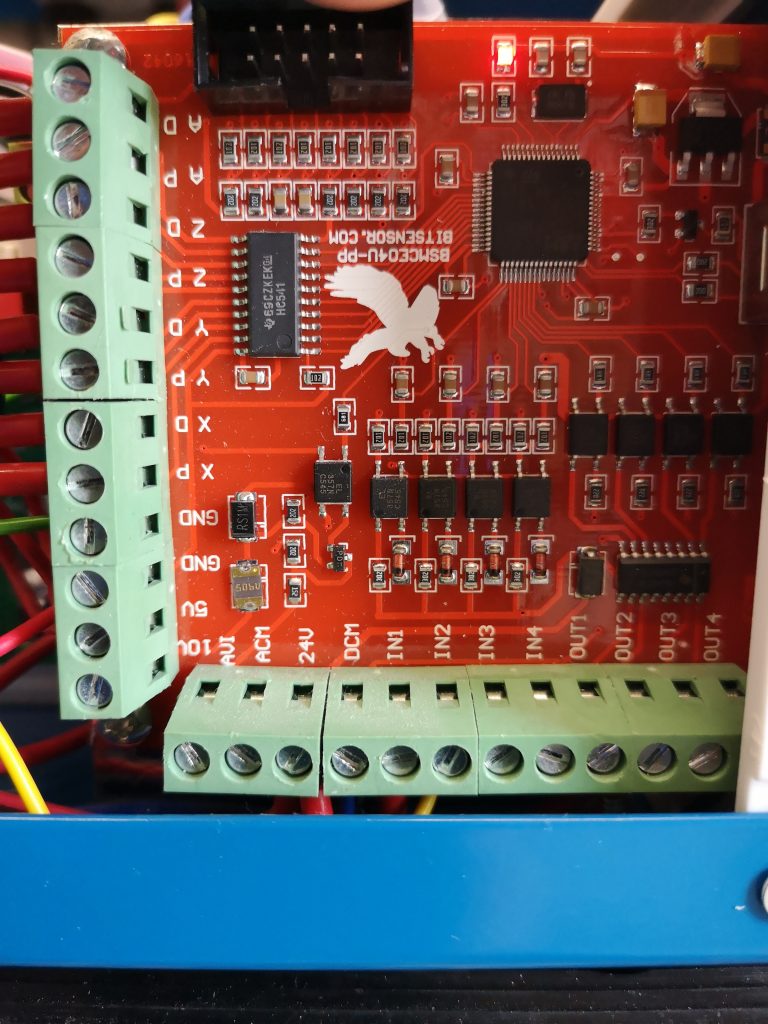
Having been used to homing the Tormach I decided that adding limit switches to the 3040 would be a good thing.   I fitted 6 microswitches and wired them in series via their normally closed contacts to create a loop.   I connected one end of the loop to the Input 2 terminal on the card terminal strip (Port 3) and the other end to ground.   Any switch when activated will now break the loop and create an alarm condition.   The same switches also perform the home reference function.  (Mach3 just looks for a break in the circuit relevant to the function being asked of it – it knows when it is homing and it knows when it is running and looking for a switch break).   

I made 3D printed mountings for the switches and covers for these.  I had to add extra wiring to the cable forms both on the machine, through the connector cable to the control box and inside the control box.   Fiddly but done. I slipped up with the +Y back stop switch in that I mounted it on the cross plate without realising that the interface cabling to the umbilical connector fouls the movement.   There was a protruding M3 screw holding the interface connector in place which was acting as a crude carriage stop.  I turned an eccentric ‘top hot’ to fit on this screw to activate the microswitch.

Fitting the switches has now made setting up more repeatable and it consistently goes to 0,0,0 when doing a Reference All. Having referenced the spindle head, it can then be moved to the WCS zero ready to run a job. So far I have played with the demo Mach3 which has limited lines of GCode capacity but I have run some of my small PCB milling routines successfully. So all looking good but as ever I wasn’t satisfied and wanted to make life easier by using the Tormach ShuttleXpress controller.   This involved downloading a plug in file to add to Mach3. It sort of works but it isn’t like it is on the Tormach so I am still trying to get to grips with it.

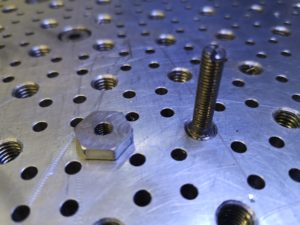
I am waiting for a delivery of TackPack superglue to stick the cable wiring in place, hence the fluorescent green masking tape.   The flat cable is standard ribbon cable stripped down to be the right number of cores as needed. Note that I replaced the backing plate on the Z mounting (the bright aluminium as seen in the first picture) as this protruded too far down and would not allow the microswitch to be easily mounted. A few pictures of progress below and more updates to follow.
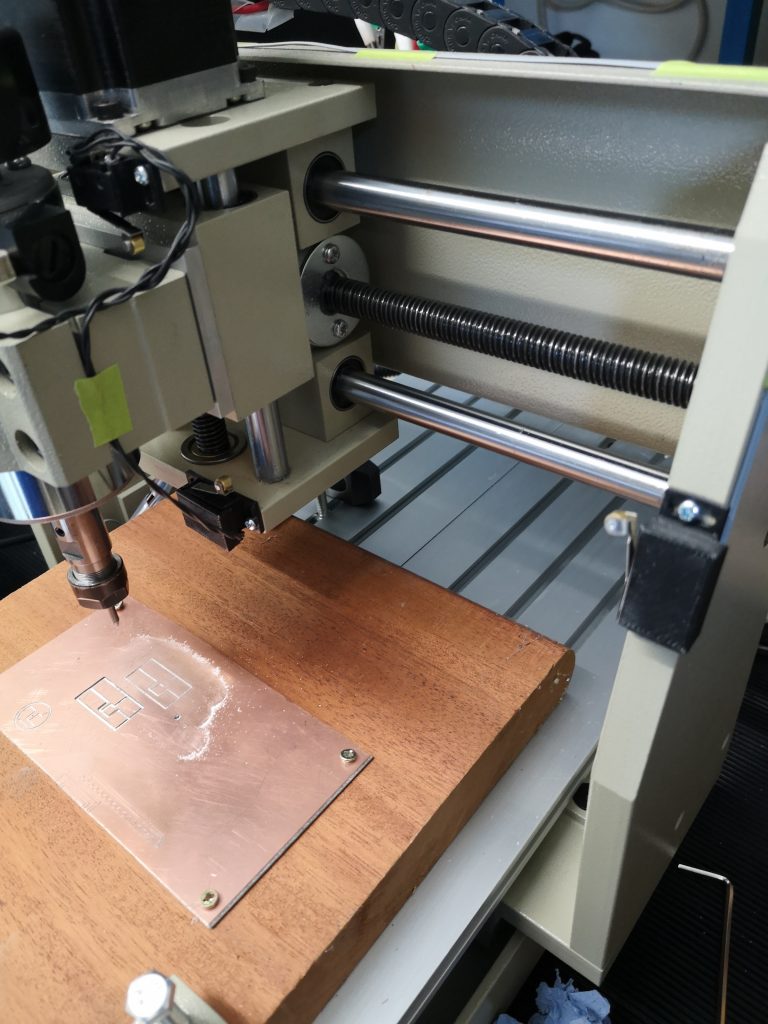
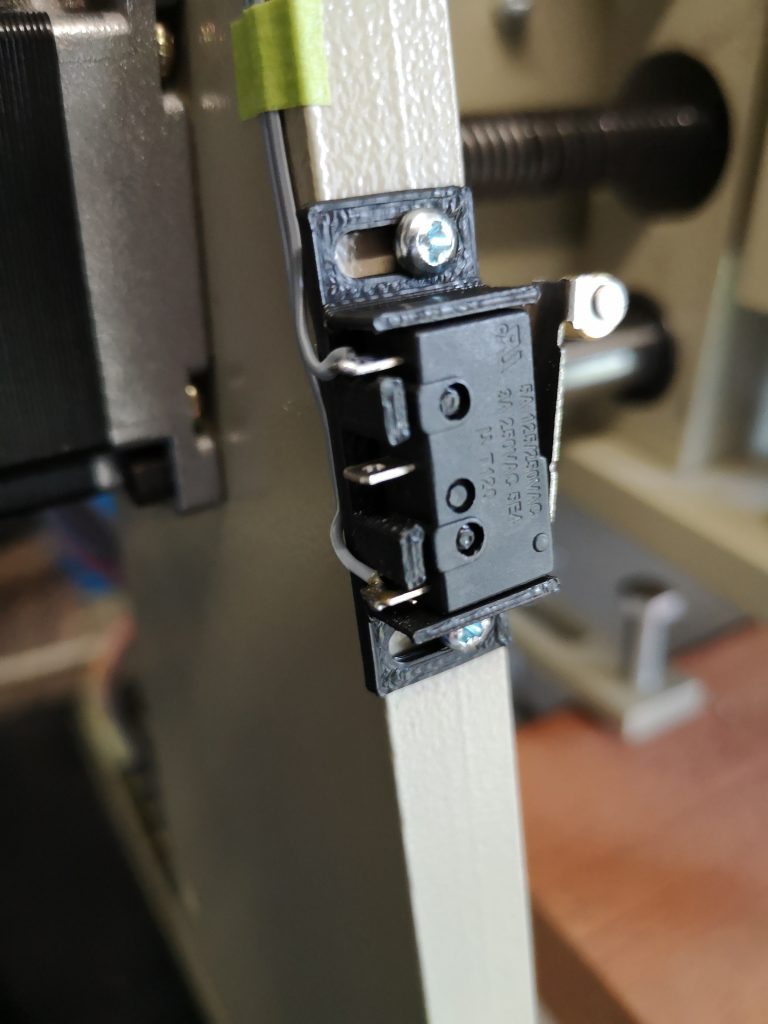
3040T limit switches
View showing Z switches and one X switch with its printed cover in place
Limit switch with cover removed
Underside view showing Y limit switches and also ‘Top Hat’ stop fitted on connector mounting screw (aluminium disc in this view)
RnR USB interface card. IN1 is the emergency stop switch and IN2 is the series wired normally closed loop via the limit switches with the return going to GND

Similar or related subjects : –

A CNCEST router / engraver joins the workshop

You have probably gathered by now that I like to experience new challenges in the workshop.  I spotted a CNCEST 3040T for sale on EBay with no bids offered and on the last day of the auction.   I did some checking and discovered that these devices are quite common and are a good way to get into CNC.   There is a wealth of YouTube postings about the machines and whole libraries that you can delve into to find models to make.   I must state that it is not a Tormach type machine but more of an engraver/router device with nothing like the grunt of the Tormach or indeed other milling centres.

The one I had spotted had a USB interface and was intended to be controlled by Mach3 which is a totally different animal to PathPilot.  PathPilot is a dedicated controller for the Tormach range of devices and because of this there are lots of facilities that you take for granted but which are hidden ‘under the hood’. Mach3 on the other hand is a generic controller that can be configured to control all manner of CNC devices but because of that it is quite complex to get to grips with, particularly for someone starting out on CNC.   Some of the user interfaces leave a bit to be desired which doesn’t help but I am getting there.   Mach3 has been around a long time and has a large user base.

Back to the story.

The purchase included the control box with the USB interface, a set of ER11 collets and a fourth axis stepper motor with a chuck already installed.   It is nicely built in that it is quite substantial but is basic and my purchase did not come with a great deal of documentation. The USB interface is by BitSensor RnR and apart from the stepper motor control lines has four auxiliary 4 input and 4 output lines that can be configured for external control.

The weekend was spent YouTubing trying to get up to speed and from this I gleaned the following : – Mach3 allows you to download a demo version which is fully functional but has a restricted maximum number of lines for running a program.   No problem with this and nice to be able to play before committing to a licence.

Having loaded Mach3 onto my desktop (Win 7, 64bit) I could not get the program to talk to the mill.   This was solved by the discovery that you need to add a plug-in for the RnR USB interface card.   This allowed the spindle to be moved in XYZ fashion from the PC keyboard direction keys and Page Up/Page Down. Next problem was that the spindle movements did not seem to reflect the Mach3 DRO readout distances.   This was solved on the Settings tab using the Set Steps per Unit button.   This was rather nice in that you tell the machine how far you want the spindle to move (in XY or Z) and then you are asked how far did it actually move as measured and it then crunches in the program what the scaling factor needs to be.  Rather neat facility. I now have the basics of accurate controlled movement. 

I can run the initial lines of one of my earlier discussion FlatCam PCB milling programs and it looks as it should.   I can see this machine becoming a dedicated PCB and general engraving device that is offline to the Tormach. So where to now ?   

I want to replace the tool table with a dedicated tooling plate similar to the one I made for the Tormach.   The table as fitted is aluminium extrusion with the equivalent of T slots.  I also want to add limit switches to make it more user friendly.   This means working out how to enable the above mentioned auxiliary lines.   Some sort of height zero probe will be needed also. So a few things to think about over winter.   More notes on progress to follow. Similar or related subjects : –

Fusion 360 Speeds and Feeds

It has been a quiet period leading up to Christmas and it has lead to some low level activity catching up on items on the ‘Things to Do’ list.

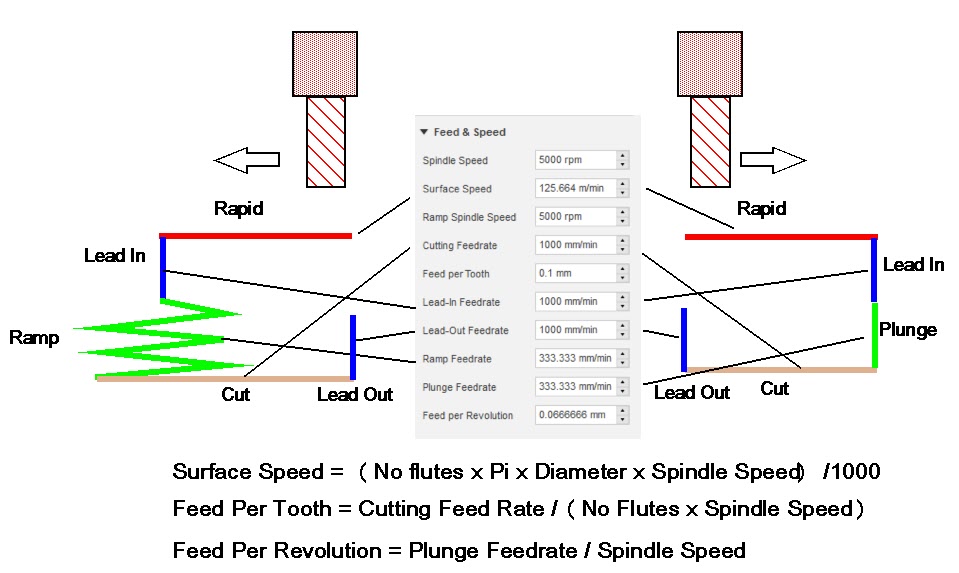
One of these was to make a graphical representation of what the Fusion 360 Feeds and Speeds dialogue box means and the calculations behind it. To be honest this tab in the Fusion CAM section used to frighten me but I have become more confident with it. The problem is I can’t remember what each box affects so here is a visual representation which might help others. Note that the dialogue changes between a ramp into the stock (such as when cutting a pocket) and a plunge into the stock (such as when drilling).

I hope that makes sense and I have got it right. It certainly helps me to understand what is going on and the calculations going on in the background.

Similar or related subjects : –

Tooling Day

Each of my CNC mills has a home designed and produced tooling plate.  Both have a 25mm pitch matrix of tapped mounting holes and a further submatrix of 3.7mm tooling pin holes.   Why 3.7mm ?  So I can turn down 4mm silver steel for the tooling pins to create a retaining shoulder.

My small CNC plate has M5 tapped holes and the Tormach 440 has M8 tapped holes.   What struct me was that I has starting to create dual sets of hold down tooling, some with M5 and some with M8 mounting holes.   Not a good idea. (Entertaining and therapeutic though it might be to have ‘tooling days’).

Clearly a mounting with M8 holes was not much use with tooling having M5 mounting holes but the other way round would work if I had M8 to M5 adaptors.

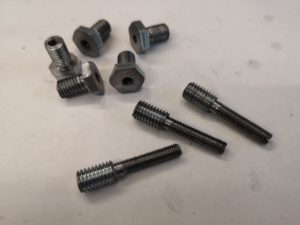
As a result I have spent the day creating adaptors which you could call male and female.   Both are made from M8 hex head tensile screws with the female ones retaining the M8 head and the male ones utilising the cut off portion of thread.  I had to undercut the thread ends behind the heads so the female adaptors would sit flush.  Having undercut I then skimmed all the tops of the hex heads to be same depth.

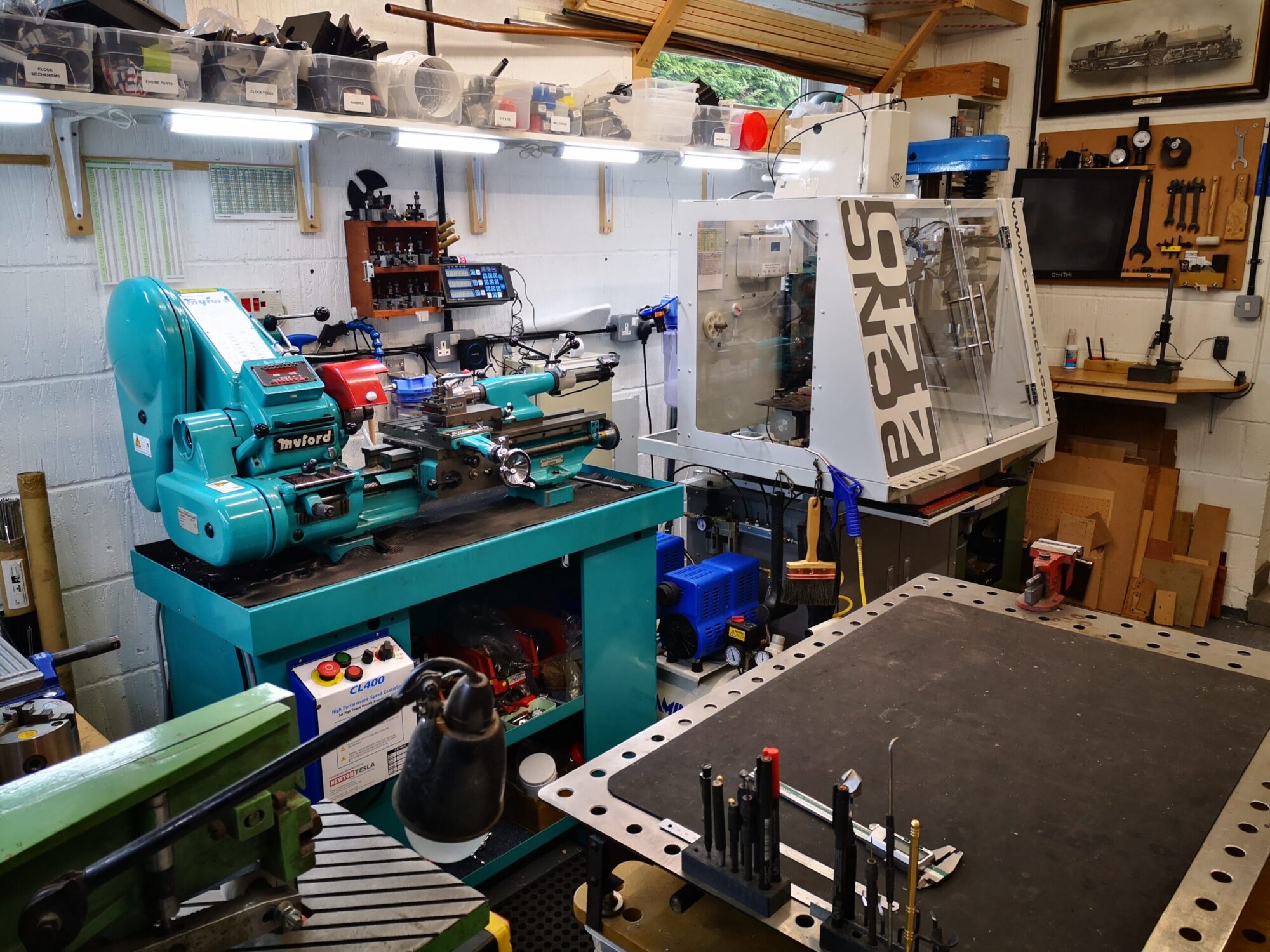
All the turning was done with the ER25 collet chuck instead of the 3 jaw which is normally fitted to the Myford.  The male adaptor versions were a pain to turn down to M5 diameter and had to be done incrementally as the M8 threaded end could not be heavily gripped in the collet.

The female versions are quite useful if a job is being run on the Tormach that needs suspending above the table so it can machined to full stock depth.

Nothing revolutionary or original but a day well spent.

A picture explains : –

Male and female M8 to M5 adaptors

M8 to M5 adaptors in place on the Tormach tooling plate

Similar or related subjects : –

Golf Caddy Locks and Ring Lights

Golf Caddy Locks

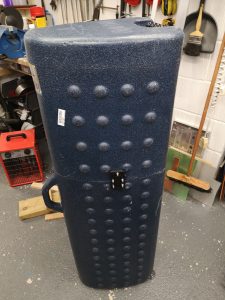
We have a couple of rigid golf caddy cases that take a full golf bag plus whatever else you can squeeze in when going on a holiday trip.   Last trip to Hawaii this included lots of shoes, snorkels, flippers etc.   These have or at least had two cabinet style locks on them but not anymore.  Customs / security at Seattle decided they wanted to have a look inside and took the easy option and smashed the locks off, had a look inside and then Gaffa taped the case back up.  Lovely.

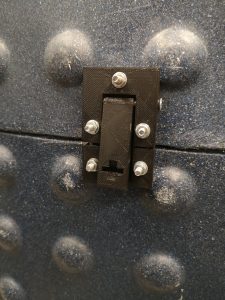
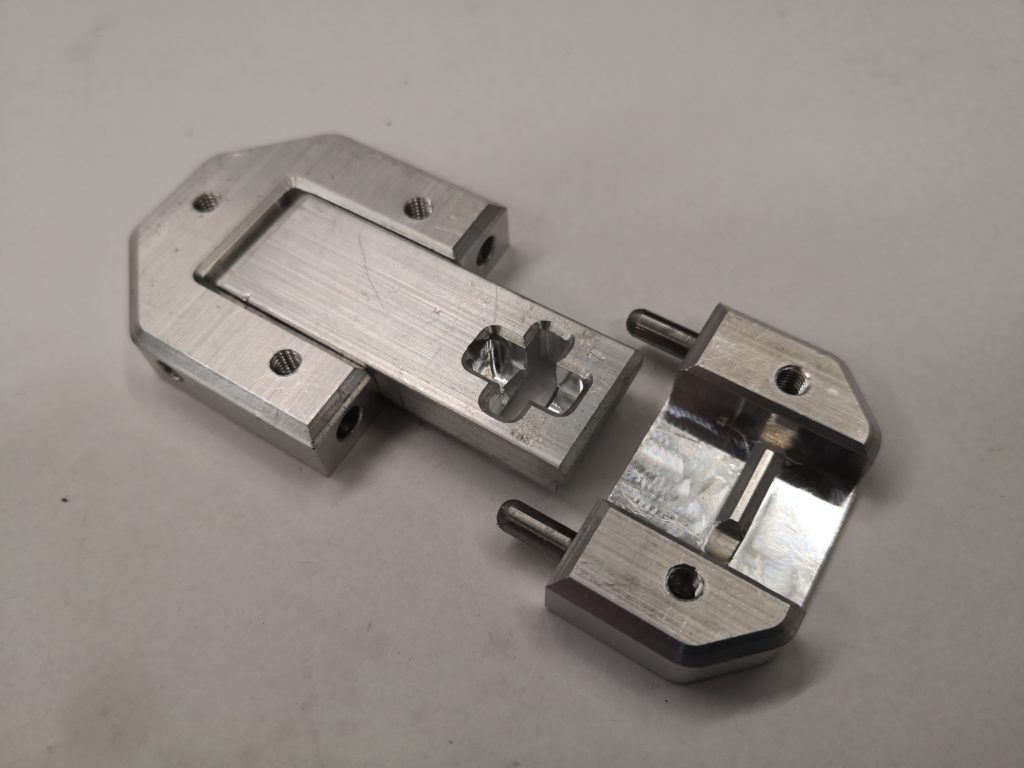
Everything arrived home safely with nothing missing but now the debate on how to replace the locks.  Clearly the idea of locking them does not go down well with baggage security teams.   I have knocked up a design in Fusion that only needs a single cable tie to make it secure.  I have 3D printed a concept model from the Fusion design and I have now run the finished items in aluminium using the Tormach CNC.   I used a combination of CNC and manual milling to get the results and this highlighted once again that the combination of a CNC and manual is incredibly useful.

Gold caddy with 3D printed trial lock in place


Close up of the prototype lock without the peripheral shaping


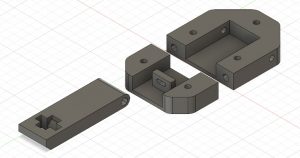
Fusion 360 representation of the lock design without the locating pins and hinge pin.

Replacement latches for golf caddy security


Ring Lights

have been receiving requests for my machine spindle illumination lights using car headlight ring light clusters and have got the process fairly slick. 

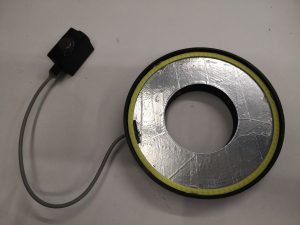
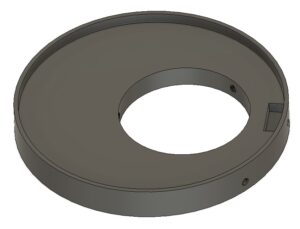
 I first of all edit the centre clearance hole in the boss in Fusion in preparation for printing.  I then 3D print the power supply box and lid and while putting this together I get the boss print underway.  The boss takes around 7 hours to print on standard quality.  .   Given the amount of interest being shown I think a formal write up would be useful for others with perhaps the Fusion file as a download.  Working on it and more to follow. 

New ring light off the production line. Note that the baking foil reflector is getting easier to do.

Update 1 – the ring lights are available on Amazon at around GBP14 per pair and you can select diameter (and colour).  Buy the largest diameter you can so that there is reduced shadowing around the tool point in the mill or drill press.  They are cheaper to buy on EBay from China but there is a longer delivery time.

UPDATE  2 : –  Since this post I have run quite a number of ring mounts for third parties and I now 3D print them with the spindle hole offset so that the shadowing from the chuck when working with shorter tools is reduced.

Angel Light modified mount with spindle hole offset
Here is a Fusion image of the ring light mount with the spindle hole offset to reduce shadowing.  Note I still recommend having aluminium foil to increase the down reflectivity.

Similar or related subjects : –

Verified by ExactMetrics